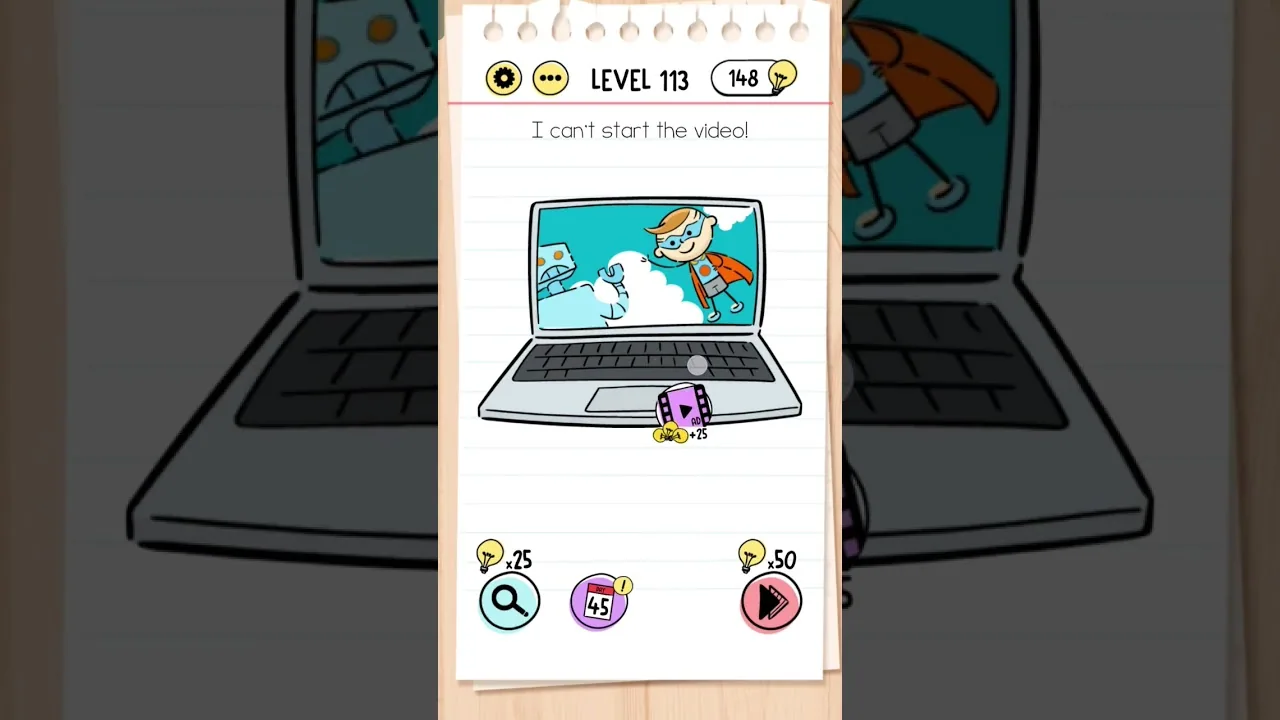
This guide is mapped to “I can’t start the video” in the checked version. If Level 113 shows another question, use the text and screenshot rather than the number alone.
Answer and walkthrough
The question is “I can’t start the video.” Its trick depends on how the wording, movable artwork, or screen controls behave. The concise answer appears first; reveal the three steps only if you need more detail.
Brain Test Level 113 quick answer: Drag the play button from the bottom menu onto the laptop screen.
Step-by-step walkthrough
Read the trick
Before spending a hint, compare the exact wording of “I can’t start the video” with everything you can tap, drag, or change on screen.
Important notes
- Keep your finger on the movable item until it reaches the named target; a tap alone may not register.
- Do not add extra actions after the verified answer; many Brain Test puzzles punish an otherwise sensible second move.
- Question order can change after an update, so match the wording and screenshot instead of trusting the number alone.
- Restarting the level restores moved objects and counters if an earlier experiment changed the puzzle state.
Why this answer works
Drag the play button from the bottom menu onto the laptop screen. The puzzle rewards attention to the exact wording and to objects that can be moved or tapped, not a complicated calculation.
Useful solving habits
- 1Read the prompt literally before applying real-world assumptions.
- 2Test whether text, labels, and decorative objects are interactive.
- 3Use the simplest gesture that matches the verified answer.
- 4Compare the success frame with the screenshot if the result is unclear.
Collectibles and completion
There are no optional collectibles required to finish this puzzle; completing the verified action is enough.
Level 113: Drag the play button from the bottom menu onto the laptop screen.
What the dedicated video shows
This short clip shows the exact question “I can’t start the video,” the required interaction, and the green completion confirmation. It is embedded through YouTube's privacy-enhanced domain and loads only after you press the button.
What to watch closely
Drag the play button from the bottom menu onto the laptop screen. Watch the pointer or finger position rather than only the final screen, because the important clue is often which object moves or which word receives the tap.
Quick feedback
Did this clue help you?
Your anonymous Yes or No helps us find walkthroughs that need another check.