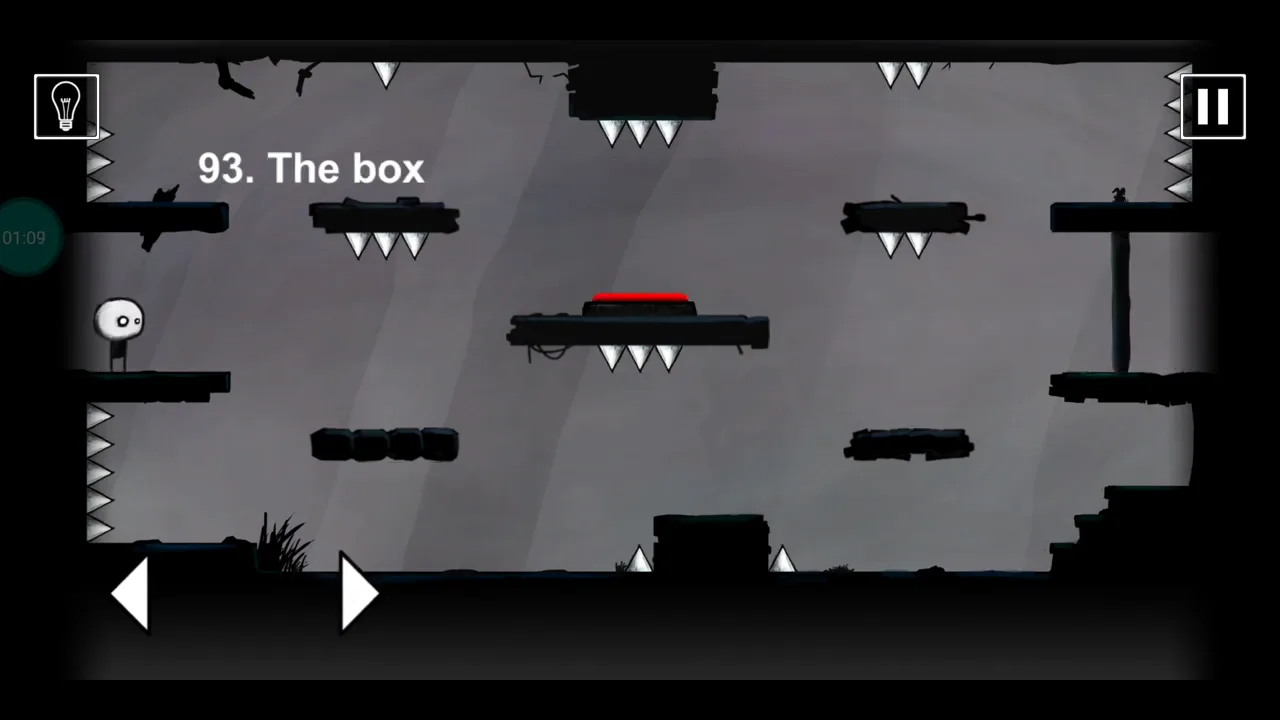
This guide matches the level title “The box” and the verified gameplay image above. Early-level numbering is stable in our checked Android and iOS references, but later updates list different overall totals.
Last verified: · Verification method · Report a correction
That Level Again Level 93 walkthroughs & guide
For this stage, the decisive action is to tilt the device to redirect gravity inside the box. The game registers the solution through gravity changes moving the character to the switch and exit.
That Level Again Level 93 quick answer: Tilt the phone to change gravity, guiding the character between the box surfaces. Reach the red button, then tilt again to carry it through the door.
Step-by-step walkthrough
Read the room
Use a gentle tilt to move the character onto the first safe box surface.
Trigger the rule
Rotate gravity toward the red button and let the character settle on it.
Take the exit
Tilt toward the open exit and guide the character through.
How to know the solution worked
If the character falls into spikes, return the phone to neutral and use a smaller tilt toward the next safe surface.
Notes and precautions
- Match the visible “The box” title before following this solution.
- The key interaction is to tilt the device to redirect gravity inside the box.
- If the character falls into spikes, return the phone to neutral and use a smaller tilt toward the next safe surface.
- The level is complete only after the right-side exit or the verified transition appears.
Collectibles and secrets
The verified completion condition is gravity changes moving the character to the switch and exit.
Compiled and edited by Level Clue from the sources linked above. Gameplay images and videos belong to their credited creators. How we check guides.
That Level Again Level 93: Tilt the phone to change gravity, guiding the character between the box surfaces. Reach the red button, then tilt again to carry it through the door.
What this video shows
For That Level Again Level 93, the trigger is gravity changes moving the character to the switch and exit.
Video checkpoints
- STARTConfirm the title
- ACTIONWatch the red button
The key action is to tilt the device to redirect gravity inside the box.
- RESULTCheck the door
- EXITCross without rushing
Quick feedback
Did this clue help you?
Your anonymous Yes or No helps us find walkthroughs that need another check.